Employment Law
When AI Becomes a Workplace Disability Accommodation
October 28, 2026
Artificial intelligence is becoming part of everyday work at businesses and nonprofit organizations. Employees use it to draft communications, summarize meetings, analyze information, and reduce administrative work. A 2026 NTEN and Bridgespan nonprofit survey found that approximately 74% of the 723 respondents answering its usage question used AI at least weekly. Anecdotally, the percentage of AI use by nonprofits seems far higher. For organizations with stretched staff and limited budgets, the potential efficiencies are substantial.
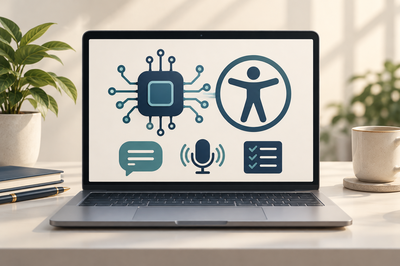
AI broadly describes computer systems that recognize patterns, make predictions, or generate outputs. Generative AI produces content, including text and images. Other AI tools transcribe speech, describe visual information, or help organize tasks. These capabilities can also remove workplace barriers for employees with disabilities. That raises both a practical and important question: Must an employer allow an employee to use AI as a disability accommodation? Sometimes, yes. The answer requires an individualized assessment of the employee’s needs, the job, and the proposed technology.
Applying Familiar ADA Rules to New Technology
As we explained in our prior discussion of the ADA’s interactive process, employers and employees must work together to identify effective accommodations. The ADA generally covers employers with at least 15 employees, including nonprofits.[1] It requires reasonable accommodations for qualified individuals with disabilities, meaning they can perform essential job functions with or without accommodation, unless the employer establishes undue hardship. Acquiring software or modifying a technology policy can qualify.
AI captioning may assist an employee with hearing loss. Reading, dictation, or visual description tools may help employees with dyslexia, vision impairments, or limited manual dexterity. Employees with ADHD, autism, brain injuries, or mental health conditions may benefit from tools that organize assignments, summarize instructions, or support written communication. The relevant question is how the individual’s disability affects work and whether the tool addresses that limitation. A diagnosis does not automatically establish entitlement to a particular product.
Generative AI might help an employee with dyslexia simplify dense instructions or help someone with a disability affecting written expression draft communications from their own ideas. Agentic AI, sometimes called agentive AI, can carry out authorized steps toward a goal. For an employee whose ADHD or brain injury impairs planning or memory, it might create task lists, add calendar reminders, and track completion. These uses may qualify when they address disability-related limitations and enable the employee to perform essential job functions.
An employee generally initiates the ADA interactive process by connecting a requested workplace change to a medical condition; no particular terminology is required. Employers may need to initiate the process when they know about the disability and related workplace problems, and have reason to know the disability prevents the employee from requesting help. When the disability or accommodation need is not obvious, employers may request reasonable documentation limited to establishing the disability, functional limitations, and accommodation need. A demand for complete medical records will ordinarily go too far.
AI may change how essential duties are performed. Its involvement does not automatically mean the employee cannot perform the job. Employers need not eliminate essential functions or lower uniformly applied quality or productivity standards, but must consider tools that enable employees to meet those standards. An employee’s ability to verify and take responsibility for AI-assisted work therefore matters.
[1] Comparable Virginia law is applicable to employers with five or more employees.
Understanding the Risks
Confidentiality is a key issue. An employee may enter customer records, donor information, trade secrets, personnel files, or sensitive information about program participants into an outside system. Depending on vendor terms and settings, that information may be retained, reviewed, shared, or used for training. Calling a product an enterprise tool does not necessarily establish that its contractual protections and configuration meet the organization’s privacy protection needs.
Existing legal duties continue to apply. A healthcare provider or other HIPAA-regulated organization may need a business associate agreement before a vendor processes protected health information. Recording or transcribing meetings may implicate consent requirements. Uploading communications with counsel may jeopardize the attorney-client privilege, depending on the circumstances. An employee’s accommodation-related medical information must remain confidential; employees should not have to disclose diagnoses to coworkers merely to use approved AI software.
Accuracy presents another problem. Generative AI can invent facts, misstate instructions, or produce biased recommendations. A mistaken summary could change a grant requirement or omit an essential safety instruction. Tools connected to email or document systems can also create cybersecurity and unauthorized access risks. Organizations should evaluate the specific information, permissions, and consequences involved.
Contractual obligations matter, too. Client agreements or grant conditions may restrict data transfers or require approval of outside vendors. Employers should check whether AI prompts, recordings, and outputs can be retained or retrieved when recordkeeping duties or litigation holds apply. Tools authorized to send messages or alter records need closer controls than software that merely suggests text.
Additionally, AI-generated material can raise infringement concerns, while insufficient human authorship may prevent the organization from obtaining copyright protection for its own outputs. Vendor licensing terms may restrict particular uses. Subscription, integration, training, and ongoing review costs also deserve attention. For nonprofits, a breach or unreliable communication can damage donor confidence and interrupt services, as we discussed in our cybersecurity and mission risk blog.
Employers should also review automated performance monitoring. A system that scores keystrokes or speech patterns could unfairly penalize someone using an approved accommodation. The EEOC’s 2022 AI Guidance addresses these assessment risks. Requests to use AI as an assistive tool require applying the ordinary accommodation framework discussed here.
Choosing the Tool and Setting Conditions
An employee’s request does not necessarily entitle the employee to a preferred product or personal account. Employers should give the employee’s preference primary consideration, but may select among effective accommodations, including a less expensive or more secure alternative. They need not establish that the preferred product creates undue hardship if they provide another effective accommodation.
Applying that principle to AI, an employer may be able to provide an approved captioning tool instead of an outside meeting bot, limit inputs to authorized information, disable unnecessary integrations, or require review before external distribution. An effective conventional assistive technology may also satisfy the obligation. Restrictions must leave the accommodation effective; an approved product the employee cannot access or use does not solve the problem.
A prompt, defined trial can help evaluate effectiveness and security. Include appropriate training and clear expectations, and revisit the arrangement if the tool fails or the employee’s needs change. A blanket AI prohibition may itself require modification. Conversely, permitting AI for routine marketing drafts does not automatically require its use with confidential clinical records.
When AI May Create an Undue Hardship
The ADA’s standard is “undue hardship,” meaning significant difficulty or expense. The employer bears the burden of establishing it through an individualized assessment. Relevant factors include net cost, available funding, the employer’s overall resources, workforce structure, and operational effects. Nonprofit status and a tight departmental budget do not, by themselves, establish the defense.
Applying those factors, documented integration and security costs might create undue hardship for a small organization. A proposed use might also create substantial disruption where effective safeguards cannot prevent disclosure of protected information or where necessary verification would consume extensive staff resources. These are possible applications of the existing standard, not automatic exceptions for AI. An employer should explain the actual consequences and consider whether narrower permissions, different software, or another accommodation would resolve them.
General anxiety about AI, coworker resentment, or speculative future requests is not enough to create an undue hardship. A modest subscription fee will be harder to characterize as significant expense for a well-resourced employer. An ineffective tool may fail the reasonable accommodation requirement without reaching undue hardship; that conclusion should lead to consideration of possible AI or related alternatives.
Before denying AI use, distinguish an objection to one vendor or feature from an inability to provide an effective accommodation. If the requested tool is the only effective option, the employer should have evidence supporting its hardship conclusion. If no accommodation in the current job is available without undue hardship, consider reassignment to a vacant position for which the employee is qualified.
Practical Steps for Businesses and Nonprofits
Adopt an AI policy that identifies approved tools, permissible information, and required human review while preserving an accommodation process. Train managers to recognize requests and involve HR, IT, and counsel promptly. Document the employee’s limitations, alternatives considered, actual risks, and reasons for the decision. Keep medical information separate and confidential, and avoid retaliation for requesting accommodation. Check corresponding state and local requirements. Employers should evaluate the law where the employee works, including for remote employees.
For assistance with AI policies or disability accommodation requests, or for more information or help with nonprofit strategies, governance, training, or legal compliance, please feel free to reach out to Doug Taylor at (703) 526-5586, rdougtaylor@beankinney.com. Doug works with nonprofits and for-profit businesses throughout Virginia, Maryland, and the District of Columbia.
This article is for informational purposes only and does not contain or convey legal advice. Consult an attorney. Any views or opinions expressed herein are those of the authors and are not necessarily the views of the firm or any client of the firm.